
7 HubSpot Setup Mistakes New Admins Make and Fixes
New to HubSpot admin? Here are 7 setup mistakes that quietly wreck your data and reporting, plus how to fix each one before it costs you.
By Rishabh ·
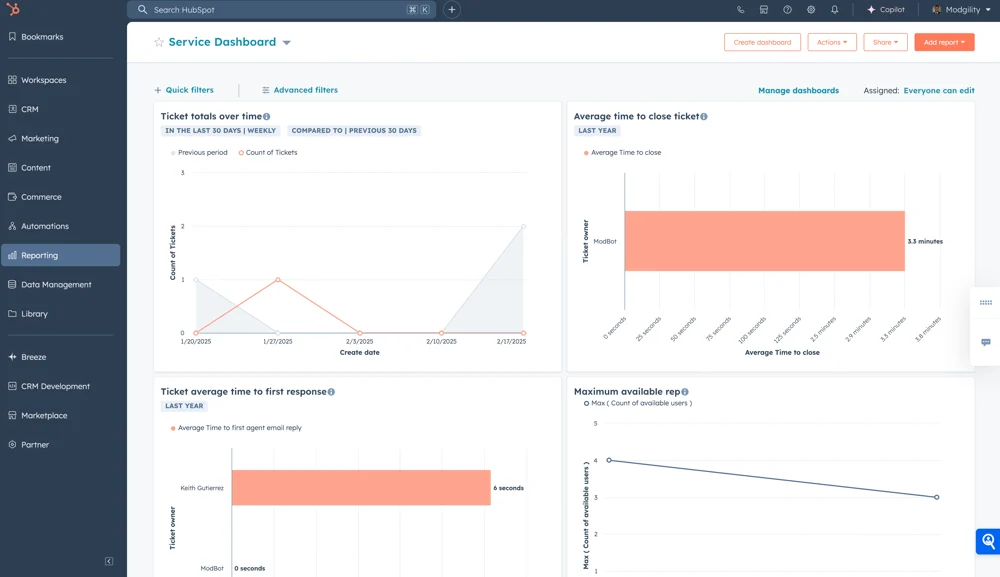
New HubSpot admins usually break the same seven things: dirty data imports, default pipelines, unchecked property growth, over-permissioned users, unmanaged duplicates, automation built before process mapping, and no post-launch training owner. Each one looks harmless at launch and gets expensive within a year.
If you just got handed the keys to your company’s HubSpot portal, welcome. It’s a genuinely capable platform. It’s also very easy to configure in a way that looks fine for the first few months and then quietly falls apart.
Here’s the thing: HubSpot won’t stop you from making these mistakes. It’s flexible by design, which means it lets you build pipelines, properties, and workflows that don’t match how your business actually sells. The platform doesn’t know your sales process. You have to tell it, and if you don’t, it defaults to something generic.
Below are the seven mistakes we see most often in new admin setups, and what to do instead.
1. Migrating data in before cleaning it up
A CRM (customer relationship management system, the database that tracks your contacts, companies, and deals) is only as good as what goes into it. Importing years of messy spreadsheet exports on day one means you’re building your entire setup on a shaky foundation. The setup mistakes that hurt you later rarely break anything on launch day. Property sprawl, workflow spaghetti, skipped integration planning, and dirty data imports all look harmless at launch and expensive twelve months in.
Before you import anything, dedupe your source files, standardize how company names and email domains are formatted, and decide what counts as a “complete” record. It’s tedious. Do it anyway.
2. Leaving pipeline and lifecycle stages on default settings
HubSpot ships with a generic deal pipeline and a standard lifecycle stage list (the stages a contact moves through, like Lead, Marketing Qualified Lead, and Customer). Most new admins never touch them, and that’s a problem, because the default pipeline has deal stages that are generally applicable but may not reflect the specific steps in a company’s sales process.
Lifecycle stages cause even more pain. Teams configure the stages in the first month, leave the definitions vague, update them manually when they remember, and then wonder why funnel reporting is unreliable. One industry analysis found that a large majority of companies struggle with lifecycle stage accuracy, and when that happens, it quietly sabotages lead scoring, reporting, and automation across the whole portal.
Write down, in plain language, what makes a contact a Lead versus an MQL versus a Customer at your company specifically. Then automate the stage changes with workflows instead of relying on reps to update them by hand, since manually changing lifecycle stages means you miss the timestamp HubSpot needs for accurate reporting.
Pro tip: keep lifecycle stage moves forward-only for reporting purposes. If a deal stalls or a lead goes cold, use a status field to flag it rather than reverting the lifecycle stage backward, so you don’t lose the historical record of how that contact actually moved through your funnel.
3. Letting properties multiply without any oversight
A property is just a field on a record, like “Job Title” or “Deal Amount.” New admins tend to add one every time someone asks for a new way to slice data, and nobody ever removes the old ones. One analysis of live portals found that most HubSpot portals carry 30 to 50 percent unused custom properties, fields that exist but aren’t tied to any workflow, list, or report.
Honestly, most property sprawl problems aren’t a HubSpot limitation, they’re a governance gap. Nobody owns the decision to say no to a new field.
The fix is simple: require a quick justification before anyone creates a new property, and review unused ones on a regular cadence. That one habit alone can cut sprawl dramatically. If you’re on Operations Hub Professional or higher, HubSpot’s data quality command center will flag properties with no data, duplicate properties, and properties nobody’s using, which makes the review much faster.
4. Making everyone a Super Admin
Super Admin is the highest access level in HubSpot. It gives someone the ability to remove integrations, alter workflows, and change billing information for the entire account. New admins often hand this out freely because it’s the path of least resistance when someone asks for access.
Don’t do this. Every portal needs at least one Super Admin, but piling on more than a couple creates unnecessary risk of accidental changes and data issues. The better approach is the principle of least privilege: give each person only the access their job actually requires, and expand it later if a real need shows up. Start with essential permissions only, then expand access if it’s truly necessary, rather than the other way around.
5. Having no plan for duplicate records
Duplicates creep in from form fills, manual entry, and messy imports, and they cause real damage: reps waste time contacting the same lead twice, workflows send duplicate emails or skip people entirely, and you can’t trust your pipeline totals or conversion rates.
The best fix is prevention, not cleanup. Use domain-based company matching instead of relying on company names, enforce duplicate checks during imports, and get reps in the habit of searching for existing records before creating new ones. Even with good prevention, assign someone to review the duplicates tool on a regular schedule, because no strategy stops every duplicate from slipping through.
6. Building automation before mapping the actual process
Workflows (HubSpot’s automation tool) are one of the platform’s best features, and one of the most common sources of chaos in a new setup. Automation built without planning becomes one of the biggest problems, with workflows triggering each other, sending content to the wrong segments, and disrupting the experience for both reps and prospects.
The root cause is usually the same: teams build around what HubSpot can technically do rather than how the business actually sells, markets, and serves customers. Map your process on a whiteboard first. Build the automation second.
7. Skipping ownership for training and upkeep
A setup that looks complete on launch day can still fail quietly over the following months if nobody owns it. Good setup weakens quickly when nobody owns onboarding after launch, and the same applies to integrations: review which systems connect to HubSpot, what data syncs, and how sync failures get caught, because unmonitored integrations create silent reporting errors down the line.
Someone on your team, even part-time, needs to own the portal after go-live: training new hires, watching for data drift, and keeping documentation current.
A quick pre-launch checklist
- Clean and standardize source data before any import
- Rebuild pipeline and lifecycle stages around your actual sales process, in writing
- Set a property-approval habit before you add new fields
- Audit who has Super Admin and cut it down to a small, trusted group
- Turn on duplicate-prevention rules and schedule a recurring duplicate review
- Map your process before building any workflow
- Name a permanent owner for training, documentation, and ongoing hygiene
Frequently asked
How long does a proper HubSpot setup take?
A standard implementation typically takes four to six weeks, and multi-hub or migration-heavy projects can run six to eight weeks depending on how complex your data is.
Can I fix these mistakes after HubSpot is already live?
Yes, and most companies do. None of these problems requires starting from scratch, but fixing them does require an honest look at where the gaps actually are.
Do I need a HubSpot partner, or can I set it up myself?
It depends on your team’s shape more than your budget. A single admin with a simple, single-pipeline sales process can reasonably DIY a Starter or Sales Hub setup, but a business with multiple systems, a dedicated RevOps function, or CRM migration involved can lose months to a DIY build that a partner would get right the first time.
What’s the single biggest mistake on this list?
Data hygiene problems, because they’re foundational. Bad data quietly undermines everything else you build in the portal, including pipelines, workflows, and reporting.
How many Super Admins should a portal actually have?
Keep it small. Assign Super Admin access only to people responsible for system-wide decisions, and use scoped permission sets for everyone else.
If you’re staring at a portal that already has a few of these problems (or all seven), it’s usually faster to get a second set of eyes on it than to guess your way through a fix. Book a free HubSpot setup diagnostic call with Revlyn and we’ll walk through your portal together and tell you exactly what to fix first.
Want a second pair of eyes on your CRM?
Tell us what feels messy today. A first conversation is for understanding your situation, not pushing a package.
Book a discovery call