
The HubSpot you have,
finally working.
Every portal drifts. A growing team typically adds three to five workflows a quarter, and after eighteen months there's more automation than any one person can hold in their head. That's a healthy sign your business moved, not a failure of setup. We spend a week inside your instance to learn what each layer was protecting, then rebuild only the parts that need to be trusted again.
No rip and replace. No four month re-architecture. Your history stays, your integrations stay, and reps keep working through the change.

The portal didn't break.
Your business moved.
Portals drift because businesses grow. One of these four scenes is what usually brings a founder or Head of Revenue to this page. Pick the one that felt closest.
The same portal.
A very different Monday.
The audit reads like a doctor's note
Every finding tied to a symptom your team already feels. No jargon, no shame list.
We fix the causes, not the tickets
Broken dashboards usually mean broken data. We chase things to the root, then rebuild them once.
Your history stays intact
No migrations, no rip-and-replace. We work inside the portal you already run.
Your team walks out running it
Playbooks, loom walkthroughs, and a runbook so nothing quietly drifts again.
The eight places
portals quietly break.
We audit every layer before we touch a workflow. Fixes at the top never hold if the layers underneath are still cracked.
The portal cleans up
layer by layer.
Not a rip-and-replace. Not a four-month re-architecture. Scroll the four weeks and watch the workflow count fall, dedupes resolve, and the dashboards start agreeing again.
A week inside the portal, not around it. We inventory every workflow, property, dashboard and integration. Nothing gets deleted yet. The goal is a shared, honest map of what's actually running.
Every finding gets sorted into rebuild, tune, or retire. You see the severity, the effort, and the risk before we touch a thing. This is where you sign off on scope, not the first phone call.
The pipeline, properties, workflows, and reports that decide every leadership meeting get rewritten. History stays intact. Reps keep working, in the same portal, through the change.
Runbooks, governance rules, and a 30-day support runway. The portal now belongs to you again, and there's a documented reason for every choice in it.
Diagnose, prescribe,
rebuild, hand back.
Diagnose
- →Portal + workflow audit
- →Data health + duplication scan
- →Rep and leader interviews
Prescribe
- →Priority findings + severity
- →Rebuild vs tune vs retire calls
- →Sign-off on scope
Rebuild
- →Pipelines, properties, lifecycles
- →Workflows and routing rewritten
- →Reports and dashboards reset
Hand back
- →Team walkthroughs + playbooks
- →Runbook + governance rules
- →30-day support runway
Six artifacts,
not a consultant's PDF.
Every optimization ends with the same six documents. They live in your Notion, they're written so the next hire can read them, and they're specific to your portal, not a template.
The audit report
- Every workflow, dashboard, property mapped
- Findings tagged by severity
- Tied to symptoms your team already feels
- No jargon, no shame list
Findings ledger
- Rebuild, tune, or retire, per item
- Effort + risk scored honestly
- Owner and target week
- Signed off before we touch a thing
The rebuild file
- New object model + lifecycle map
- Workflow rewrites, versioned
- Report definitions the board agrees to
- Legacy fields archived, not deleted
The change trail
- One Loom per rewritten workflow
- Before/after screenshots
- Why we chose to rebuild vs tune
- Any rep can watch and follow
The 'when it drifts' book
- Monthly maintenance checklist
- Change-request template
- Escalation contacts + on-call rules
- The governance you didn't have
Runway after handback
- Same operators, same Slack channel
- Bug fixes covered
- Two office-hour sessions
- Optional roll into ongoing service
Every fix,
on one page.
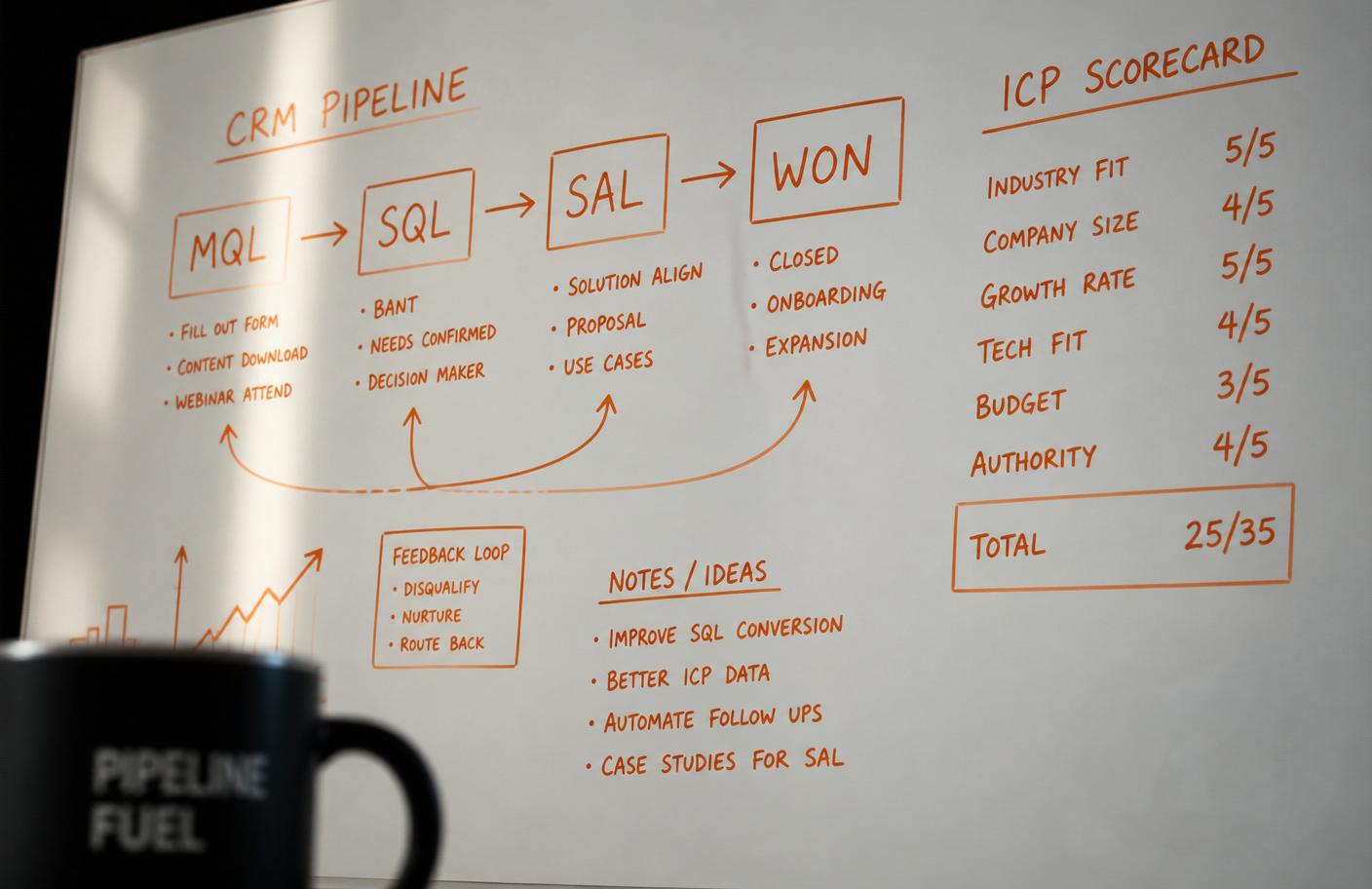
The audit becomes a single Findings document. Symptom, root cause, severity, and the fix we recommend. Your leadership team reads it, picks the scope, and signs. Then we rebuild.
- ✓Symptom log from your team
- ✓Root-cause map
- ✓Severity + effort matrix
- ✓Rebuild vs tune vs retire
- ✓Adoption + governance gaps
Not a rebuild.
A precise repair.
Data health
- Dedupe + merge
- Property clean-up
- Normalisation rules
- Validation tests
Pipeline
- Stage criteria reset
- Ownership + routing
- Stuck-deal rescue
- Forecast hygiene
Lifecycle
- Lead scoring rebuild
- Lifecycle stage logic
- Exit + entry rules
- Nurture rewrite
Reporting
- Dashboard reset
- Attribution repair
- Forecast view
- Board-ready pack
Integrations
- Sync audit
- Product / billing repair
- Warehouse alignment
- Slack + calendar
Adoption
- Runbooks
- Team training
- Governance rules
- Change comms
From noise on one side,
to signal on the other.
What changes in 4 weeks.
Right fit, wrong fit,
we'd rather say it upfront.
- →Your HubSpot has drifted and reports no one trusts
- →You inherited a portal built by three different people
- →Your team quietly works around HubSpot in spreadsheets
- →You want AI in the workflow, not as a bolt-on
- ·You want a checklist run against your portal, no context
- ·You need a cheapest-possible admin, not a system
- ·Leadership can't spare one workshop a week for four weeks
The things
people ask us.
Do we lose our history?+
No. Optimization happens inside your existing portal. We clean, restructure and rebuild, but every record, activity and note stays where it is.
Is 4 weeks realistic?+
For most portals, yes. Very large tenants or ones with heavy custom code sometimes need 6, we'll flag that in the audit and scope honestly before you commit.
What do we need from our side?+
One executive sponsor, one ops lead, and around 3 hours a week from your GTM leaders. Reps get pulled in only for the walkthroughs at the end.
Do you work with our existing admin or agency?+
Yes. We often run alongside internal ops teams and hand back to them. If you have an agency in place, we scope around their work, not over it.
What happens after the rebuild?+
You get 30 days of support to shake out issues. After that, most teams roll into HubSpot as a Service so the system keeps getting cared for.
Let's make the HubSpot you have
the one you were promised.
Start with an audit. If we don't find things worth fixing, we'll say so. If we do, you'll get a Findings document that reads like a plan.